In-person networking, reimagined

Meet people in real life.
Never forget a face.

Swap profiles with a single scan, then keep every connection organised by the event where you met — with photos, voice notes, and chat.

1 scan
to connect
0 cards
to carry
∞ memories
to keep
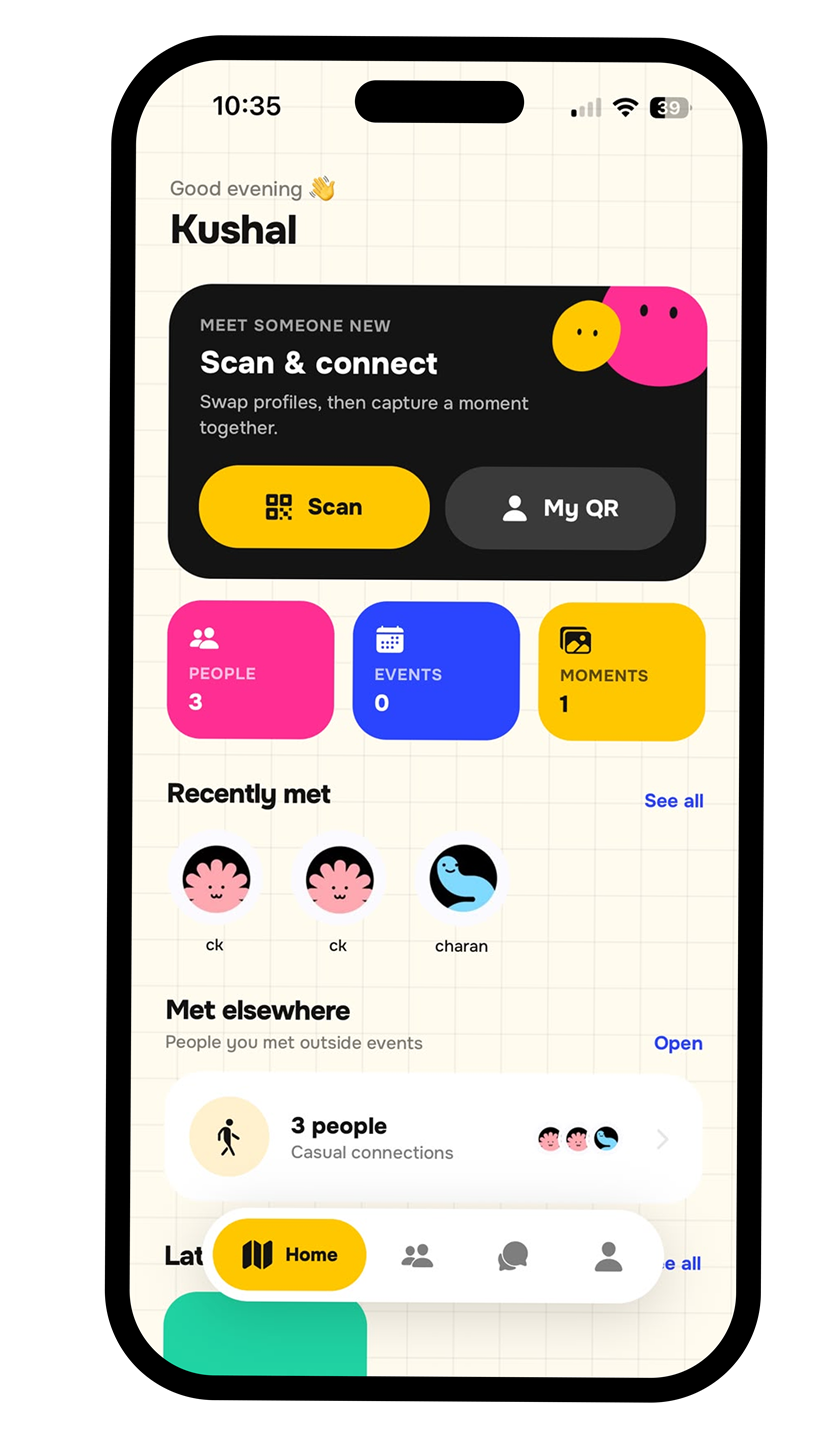
The WeJstMet home screen: a Scan & connect card, counters for people, events and moments, and a list of people you recently met.
How it works

Three taps from hello to lifelong contact

No business cards, no “what was your name again?”. Just meet, scan, and you’re connected.

1

Scan their QR

Open the camera, scan their code, and their full profile — photos, role, socials — lands in your contacts instantly.

2

File it by event

Drop them under the event where you met — a meetup, a conference, or just “elsewhere” for casual run-ins.

3

Capture the moment

Snap a photo and record a quick voice note together. It stays pinned to your connection forever.

Everything inside

Built to remember the people you meet

A whole networking toolkit that feels more like play than work.

Scan & connect

Your profile lives in a single QR. One scan swaps everything — no typing, no cards, no awkward “let me find you on LinkedIn”.

Events roadmap

Every event becomes a colourful node on your journey.

Moments

Photos and voice notes in a playful polaroid gallery.

Stay in touch

Real-time chat with anyone you’ve connected with — keep the conversation going long after the event ends.

Your QR, your style

Colour your code, pick a background, and drop your photo in the middle. Share it as a link too.

Say it right

Record how your name is pronounced, so new contacts always get it right.

Why bother

Retire the business card

Paper gets lost. Contact lists go stale. Your memory of the room fades by Monday.

The old way

Cards & guesswork

  • A pocket of cards you’ll never type up
  • No idea where or when you met
  • Names you can’t quite pronounce
  • Nothing to jog your memory later
  • Follow-ups that never happen
With WeJstMet

One scan, sorted

  • Full profile saved in a second
  • Filed under the exact event
  • Their name, pronounced by them
  • A photo and voice note from the day
  • Chat built in, so you actually follow up

Networking that finally feels human

Bright, bouncy and friendly — WeJstMet turns every introduction into a memory worth keeping.

WeJstMet home screen showing the Scan and connect card, people, events and moments counters, and recently met contacts. Scan in one tap Everyone you’ve met
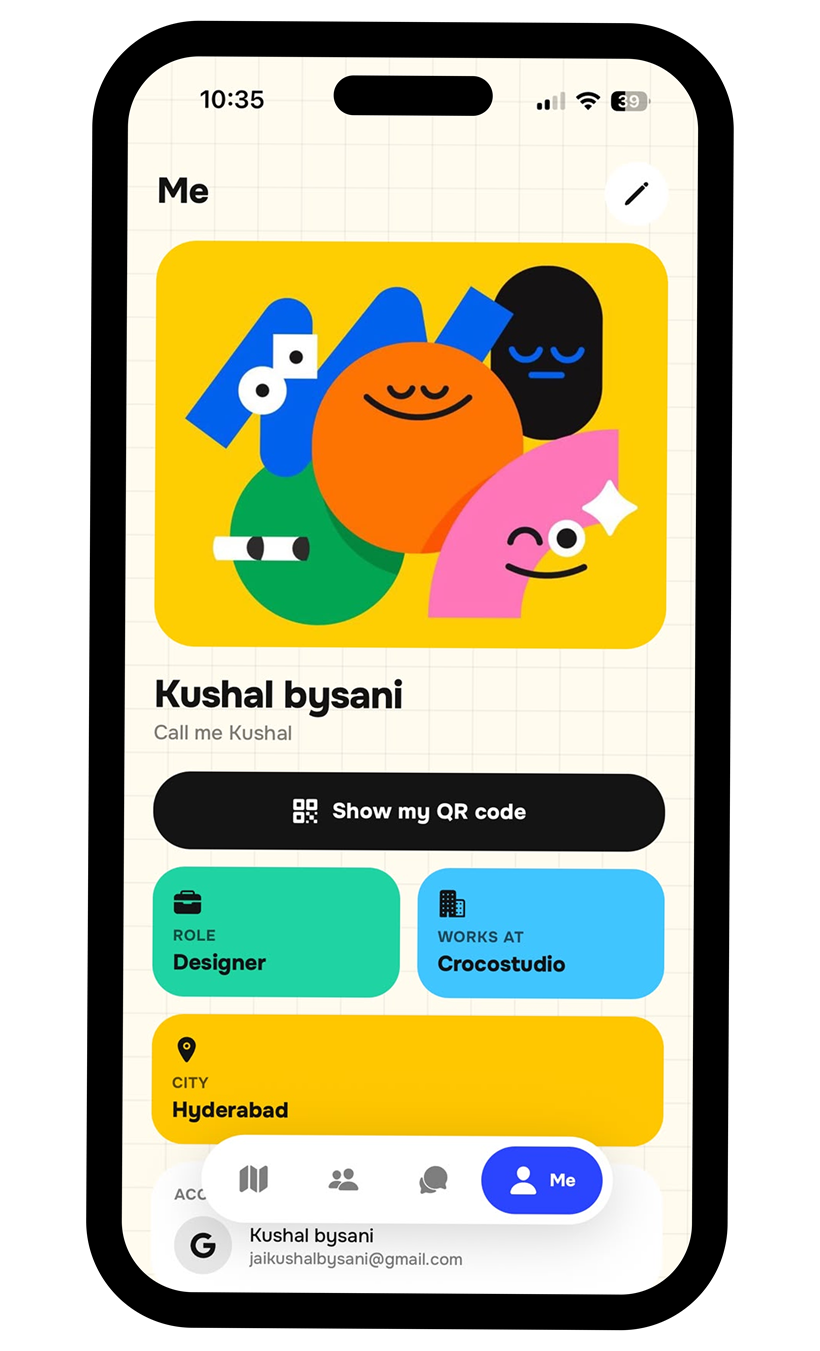
WeJstMet profile screen showing a colourful avatar, name, Show my QR code button, and role, workplace and city cards. Your card, your colours Share your QR
Behind the blobs

Meet the creator

One person set the creative direction for every colour, curve and character you just scrolled past.

Kushal Bysani, creator of WeJstMet
Creative Direction Hi 👋

Kushal Bysani

Brand & Product Designer

An India-based independent creative, specialising in helping businesses and individuals turn their ideas into impactful design and development solutions. I don’t just design to make things look good — I design to make them feel right.

Direction comes before decoration: the mood before the mockup, the point of view before the palette. Every brand I build and every page I develop is a piece of a bigger story, and whether I’m shaping a new identity from scratch or transforming one that’s been around for years, I look beyond trends — and I’ve been doing this for years.

WeJstMet is that in practice. The cream-and-grid canvas, the six-colour palette, the chunky ink outlines, the wobbly characters that follow you from the splash screen to your event map — one direction, held from the first sketch to the last corner radius, until the app stopped feeling like a contact list and started feeling like a good evening out.

“Design should feel like it was made by a person, for a person.”

Creative direction Art direction Brand identity Visual storytelling Web design & development Design systems
Questions

Quick answers

The things people ask before they download.

Is WeJstMet free?
Yes. Downloading the app, creating your profile, scanning codes, saving moments and chatting are all free.
Does the other person need the app?
To save each other as connections, yes — you both scan from inside the app. But your QR also works as a plain web link, so anyone can open your card in a browser even without installing anything.
Do you sell my data or show ads?
No, on both counts. There are no third-party advertising or tracking SDKs in the app, and we never sell or rent personal data. See the Privacy Policy for the details.
Which devices does it run on?
iPhone and Android. Your profile, connections and moments sync to your account, so you can switch phones and pick up where you left off.

Your next 100 connections start here

Free to download. Yours to keep.